Getting Started With AddressTools
Welcome to the AddressTools Support Centre. AddressTools brings address validation, standardisation and verification to Salesforce, so the addresses on your objects are complete, consistently formatted, and verified against postal authority data. These features extend to Accounts, Contacts, Leads and Contracts, and also custom and standard objects when configured.
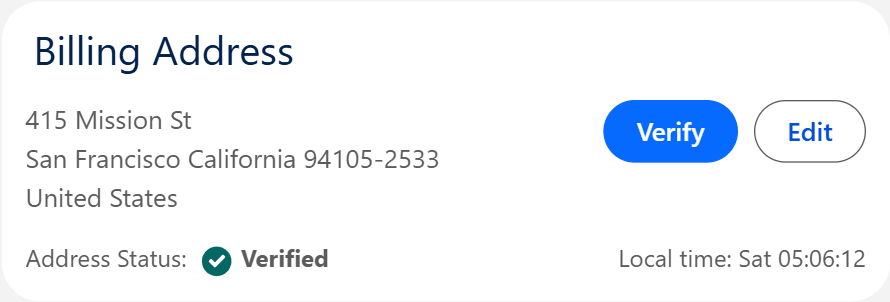
Addresses can be verified as your users type, again as each record is saved, and in bulk across the data already in your org, so the same data standards apply however an address reaches Salesforce.
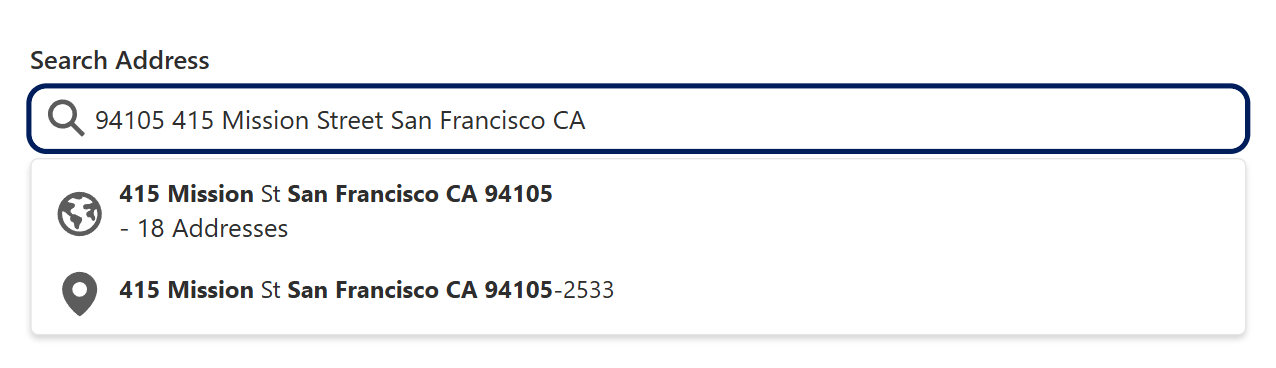
What Will it Do for My Org?
- Require the address fields your business needs, set per country and per address type.
- Store one consistent country and state format, whether a user enters
USA,USorUnited States. - Verify an address exists against postal authority data covering over 240 countries, correcting it where it can.
- Fill in the city and state from a US ZIP code while a user is still typing.
- Record the county, a postal address label, and the coordinates of a verified address.
- Link each address to the AddressTools country, state and ZIP code data so you can report on it.
Documentation
- Initial Setup – For Salesforce administrators getting AddressTools into your org. Walks you through installing the managed package from AgentExchange (formerly AppExchange), assigning user licenses, assigning permission sets, creating authentication tokens and installing country data.
- Org Administration – For administrators configuring AddressTools across your objects and addresses. Involves adding the AddressTools component to lightning record page, enabling AddressTools override for address verification on new records, binding address blocks to objects and configuring automated and batch address verification. Further demonstrates creating custom fields for additional address data to reside in.
- Feature Administration – For administrators turning on and configuring each AddressTools feature. Covers enabling features including Geocoding, Lookup Fields, QuickComplete, Standardisation, Validation Rules, Verification and Zip Code Lookups.
- Using AddressTools – For everyday users entering and verifying addresses. Shows you how to verify addresses on new or existing records.
- Troubleshooting – For anyone who runs into an unexpected message or result or needs assistance in setting up extra functionalities. Explains what the most common errors and use-cases, and how to solve them.
Need More Help?
If you can't find what you're looking for in this documentation, the ProvenWorks support team is here to help.
- Email: support@provenworks.com
- Website: provenworks.com
- Service Status: status.provenworks.com