Enable Lookup Fields
Overview
Lookup field population relates each address on a record to the matching Country, State and ZIP Code records installed with AddressTools. Instead of the country on an Account being only text, the record also points at the Country record for that country, and the same for state and ZIP code.
The relationship makes the reference data usable. Once a record is linked you can:
- Pull the ISO 2-letter and ISO 3-letter codes for a country, which most integrations expect.
- Pull the standardised full country name alongside whatever your users typed.
- Pull the primary county for a US ZIP code, which is useful for territory work.
- Store your own data on the Country, State and ZIP Code records and reach it from any address that resolves to them.
Lookup fields are populated whenever an address is edited, not only when it is verified, so they are worth using whether or not you have address verification.
Before You Start
An address block can map three lookup fields on the object: a country lookup, a state lookup and a ZIP code lookup. You only need to map the ones you will use, but the state and ZIP code lookups depend on the country lookup. AddressTools can generate the fields for you, or you can create them by hand. See Create Lookup Fields, which also covers how the lookups depend on each other and mapping them on the block.
The reference data has to be installed, since the lookups point at those records. See Install Country Data.
Step 1: Turn Lookup Field Population On for Your Org
- In AddressTools Administration, select Settings from the left menu.
- In the Feature Enablement section, click the pencil icon beside Enable Lookup Field Population.
-
Select the checkbox, then click Save.
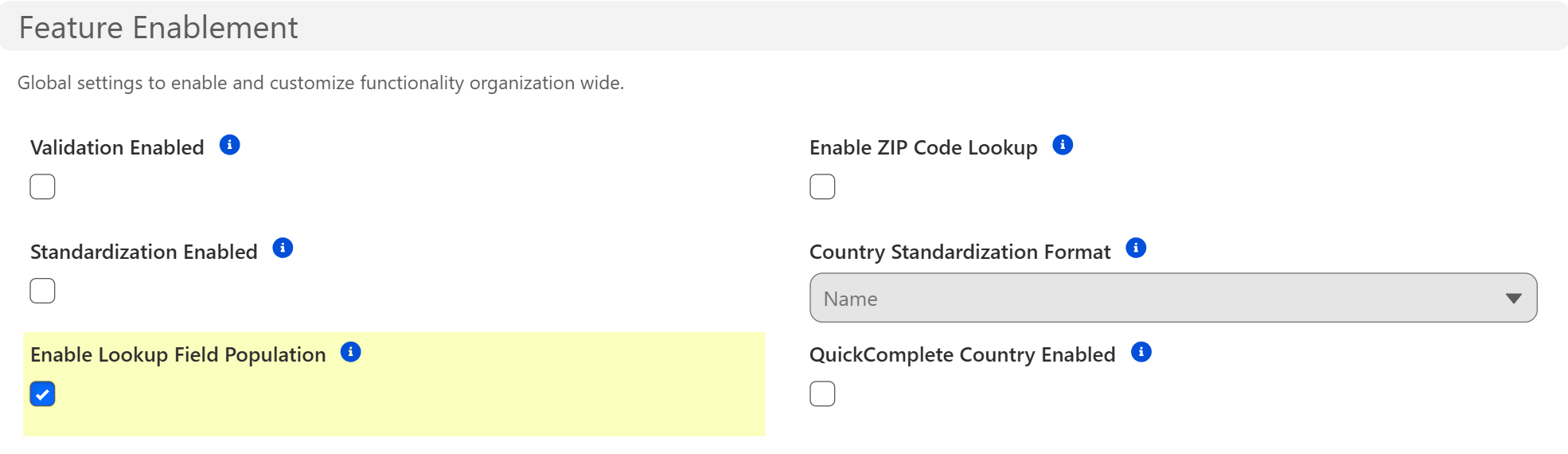
With this on, any lookup field mapped on an address block is related to the record matching the value in the postal address fields. This is the master switch, so nothing populates until it is set.
When Lookups Populate
Population happens through the object's trigger, so it runs on save however the record was created, including through the API and data loads. See Activate Triggers.
A lookup is only set when the value on the record resolves to an installed record. If a user types a country AddressTools does not recognise, the lookup is left empty rather than pointing at the wrong thing. Standardisation makes matches more likely, since it resolves alternative names and misspellings before the lookup runs. See Standardisation.